What it does
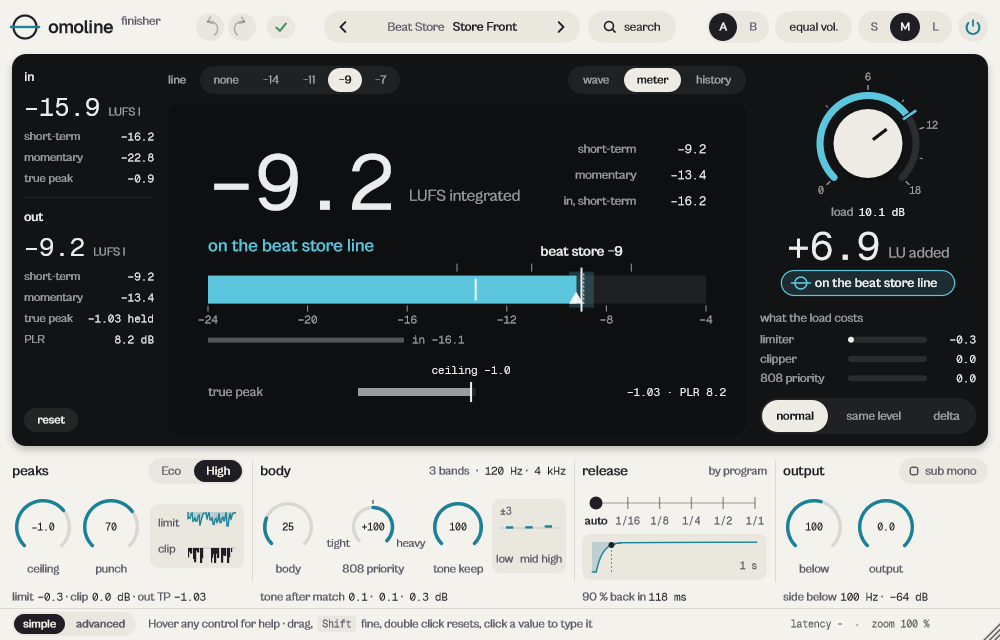
omoline is the beat finisher. Put it last in the chain, pick a loudness line and turn load until the beat sits on it. The output true peak stays under the ceiling, the tone stays where it was, and you can hear the result at the same loudness as the original to decide whether it really sounds better.
The beat finisher. Pick a line (streaming, balanced, beat store, club) and turn LOAD until the beat gets there. The true peak stays under CEILING, the tone stays where it was, and you can listen at the same loudness as the original. Before 19 October 2026 it was called LOADLINE; sessions and presets made with the old name open as before.
- Four lines: streaming −14, balanced −11, beat store −9, club −7 LUFS.
- Same-level listen: hear the result at the input loudness before you decide.
- 808 priority decides whether the 808 or the rest of the mix leads the limiter.
Quick start
- Put omoline on the beat's output and pick a line: −14 streaming, −11 balanced, −9 beat store, −7 club.
- Turn load toward the cyan notch on its ring (or drag on the display) until it reads on the … line.
- Choose same level: if it still sounds better at the same loudness, you are done. Back to normal before you export.
The display
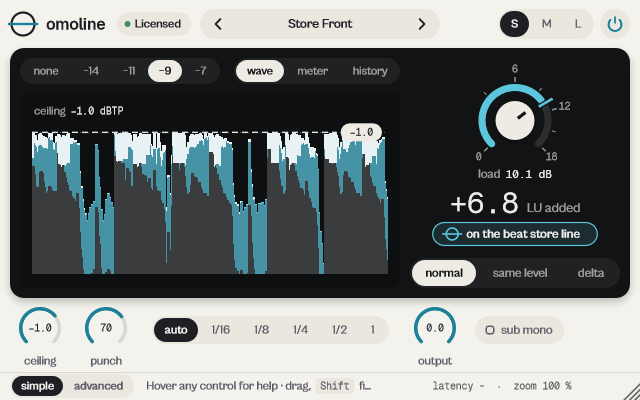
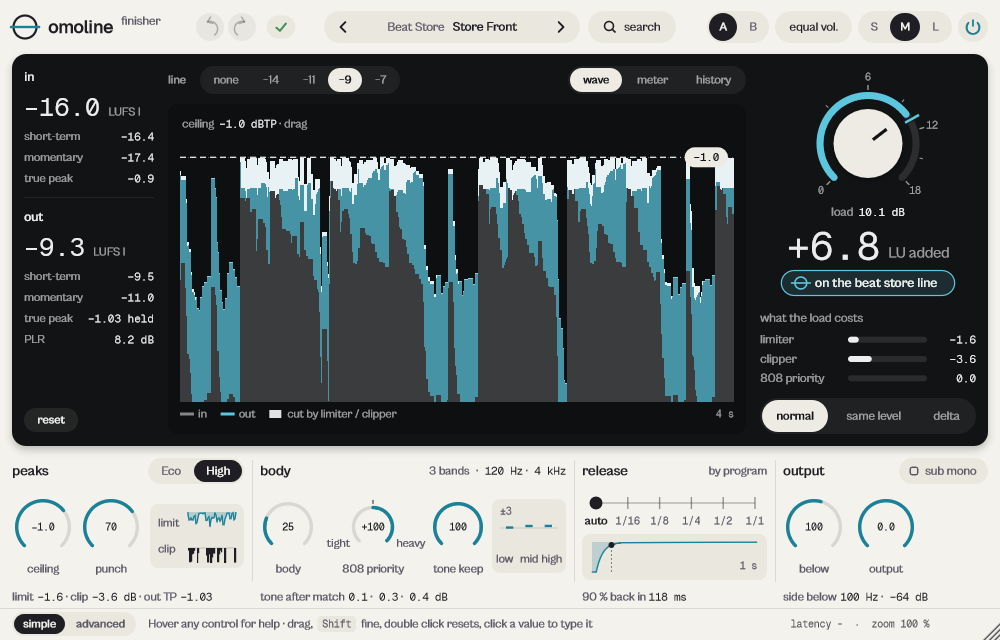
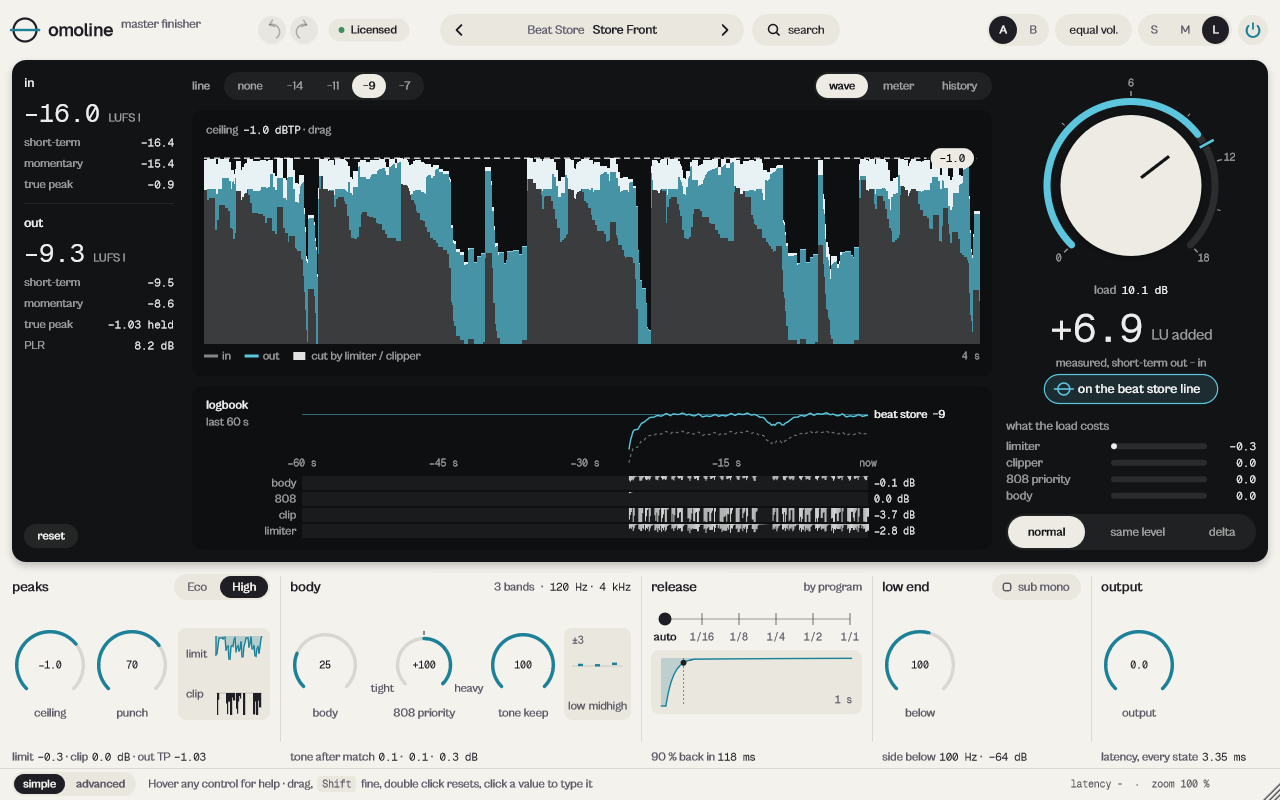
Three displays. wave: the last 4 s; grey the input, blue what load added, white on the peaks what limiter and clipper cut. The dashed line is the ceiling: drag it. meter: integrated loudness and a bar from −24 to −4 LUFS with the line, momentary, short-term maximum, input and true peak. history: 20 s of short-term loudness and the cuts. On every display, dragging up and down and the wheel move load.
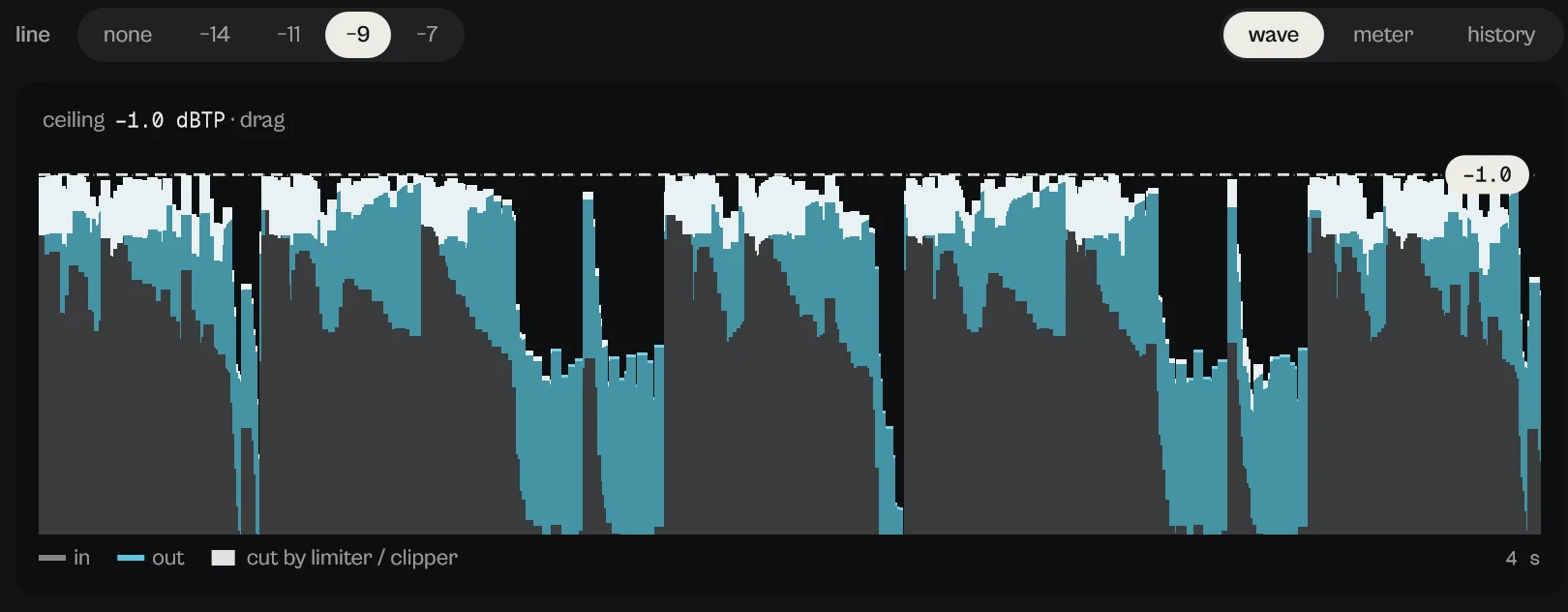
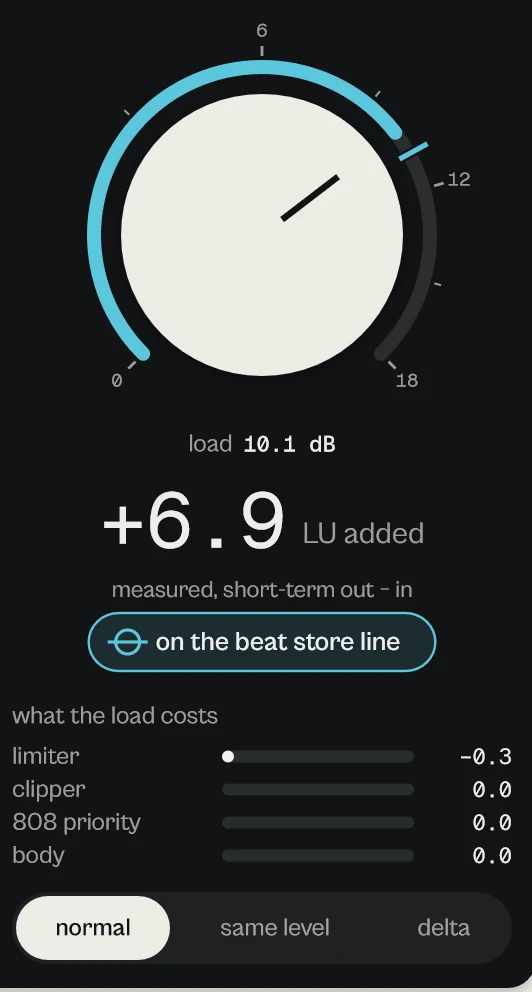
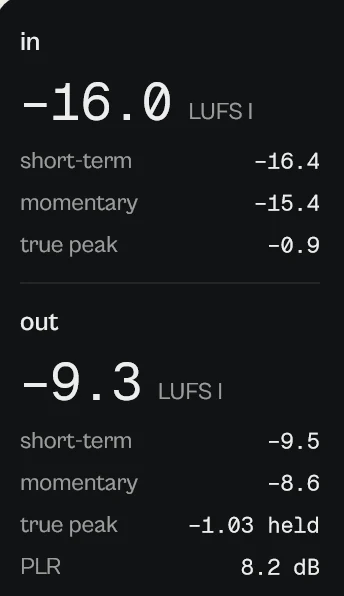
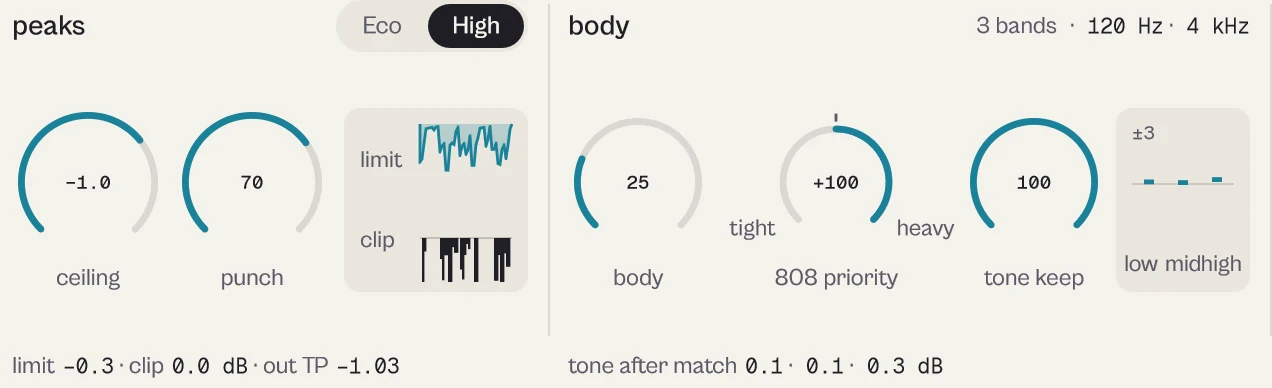
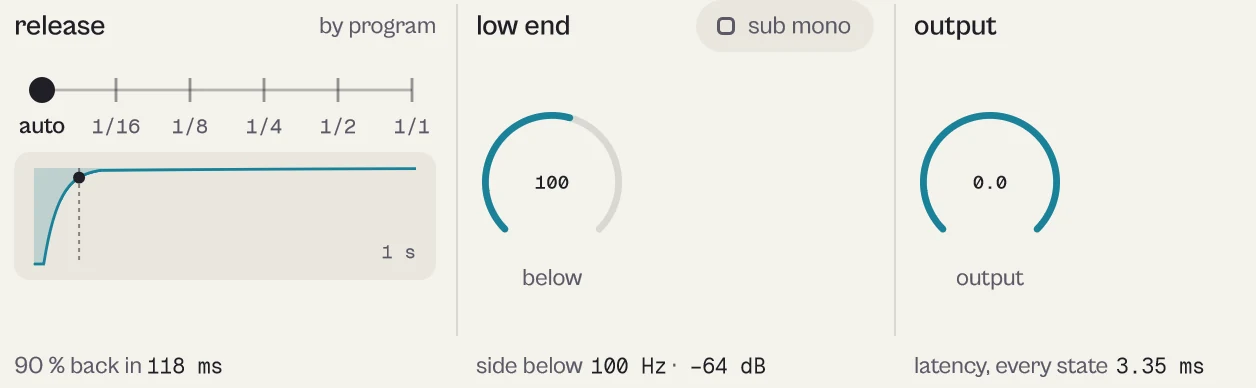
Every picture on this page is a capture of the real interface, from the current build.
Controls
The names are the ones your DAW shows for automation, read from the plugin itself; ranges and defaults are the plugin's own. Every knob: drag (Shift for fine), wheel for small steps, double-click for the default, Enter or a click on the value to type it with units (6k3, 250ms, -3 dB).
Main controls
| Control | Range | Default | What it does |
|---|---|---|---|
| Load | 0.0 dB to 18.0 dB | 0.0 dB | Gain into the dynamics, 0 to +18 dB. The cyan notch is where this beat reaches the line. |
| Ceiling | −3.0 dBTP to −0.1 dBTP | −1.0 dBTP | True peak ceiling, guaranteed at the output. −1 suits almost everything; club uses −0.5. |
| Punch | 0 % to 100 % | 30 % | The clipper before the limiter: more punch, more peaks shaved instead of compressed. |
| Quality | Eco (4x) · High (8x) | High (8x) | Clipper Eco (4x) or High (8x). Latency does not change. |
| Body | 0 % to 100 % | 20 % | Density on three bands up to 4:1; each band's average level returns where it was. |
| 808 Priority | −100 to 100 | 0 | Shown as 808 priority, tight to heavy: where the loudness comes from. |
| Tone Keep | 0 % to 100 % | 100 % | Keeps low, mid, high balance and stereo width while load rises. |
| Release | Auto · 1/16 · 1/8 · 1/4 · 1/2 · 1 bar | Auto | Limiter and body release: Auto, or 1/16 to 1 bar in tempo. |
| Line | None · Streaming -14 · Balanced -11 · Beat store -9 · Club -7 | Streaming -14 | The loudness reference: None, Streaming −14, Balanced −11, Beat store −9, Club −7. It does not change the sound. |
| Sub Mono | Off · On | Off | Mono below the chosen frequency. |
| Sub Mono Freq | 40 Hz to 200 Hz | 100 Hz | Shown as below. |
| Output | −12.0 dB to 0.0 dB | 0.0 dB | Attenuation only, so the ceiling stays guaranteed. |
Every parameter (15)
Numbered parameters are grouped in one row (for example Band 1–8), with the number of copies.
| Parameter | Range | Default |
|---|---|---|
| Load | 0.0 dB to 18.0 dB | 0.0 dB |
| Ceiling | −3.0 dBTP to −0.1 dBTP | −1.0 dBTP |
| Punch | 0 % to 100 % | 30 % |
| Body | 0 % to 100 % | 20 % |
| 808 Priority | −100 to 100 | 0 |
| Tone Keep | 0 % to 100 % | 100 % |
| Release | Auto · 1/16 · 1/8 · 1/4 · 1/2 · 1 bar | Auto |
| Sub Mono | Off · On | Off |
| Sub Mono Freq | 40 Hz to 200 Hz | 100 Hz |
| Line | None · Streaming -14 · Balanced -11 · Beat store -9 · Club -7 | Streaming -14 |
| Quality | Eco (4x) · High (8x) | High (8x) |
| Output | −12.0 dB to 0.0 dB | 0.0 dB |
| Bypass | Off · On | Off |
| 808 Duck | Off · On | Off |
| Tone Keep 808 | Restore · Leave | Leave |
Presets
Init plus 29 presets in 12 categories. Each LOAD is set to bring a trap beat at −16 LUFS to its line.
- Streaming
- Balanced
- Beat StoreStore Front
- Club
- Trap
- Drill
- Boom Bap
- Lo-fi
- R&B
- Afro
- Pop
- UtilityClean / Neutral, Ceiling Only, Sub Mono Only
Click the preset capsule in the top bar to open the preset sheet: search (every word must appear in the name, category or description), categories with their counts, ★ Favourites, tags on every row, and in B, which loads a preset into the slot that is not playing so you can compare. A click loads a preset and leaves the sheet open; ↑ ↓ move, Enter loads and closes, Esc closes. The arrows ‹ › beside the capsule step through the list; a dot says the sound was changed.
All 30 programs, as the DAW lists them
- Init
- Streaming / Spotify Safe
- Streaming / Open Air
- Streaming / Clean Stream
- Balanced / Balanced Master
- Balanced / Wide and Even
- Beat Store / Store Front
- Beat Store / Lease Ready
- Beat Store / Placement
- Club / Club Loud
- Club / Peak Hour
- Trap / 808 Forward
- Trap / Tight 808
- Trap / Trap Master
- Drill / Drill Slide
- Drill / Cold Drill
- Boom Bap / Knock
- Boom Bap / Dusty Glue
- Lo-fi / Soft Tape
- Lo-fi / Night Study
- R&B / Silk
- R&B / Late Night R&B
- Afro / Afro Bounce
- Afro / Log Drum
- Pop / Radio Pop
- Pop / Bright Pop
- Utility / Clean / Neutral
- Utility / Ceiling Only
- Utility / Sub Mono Only
- Utility / Eco Store
A/B and undo
A and B hold two complete settings. equal vol. plays B at the loudness of A, so louder never fools you. in B in the preset sheet loads a preset straight into the other slot. Undo and redo (the curved arrows, Ctrl+Z and Ctrl+Shift+Z) are kept separately for A and B; switching slot is not a step.
Listen modes
The selector under load has normal, same level (the result at the input's loudness, to judge honestly) and delta (only what clipper and limiter remove). A blue pill on the display says what you are hearing. Neither is saved: go back to normal before you export.
Simple, advanced and sizes
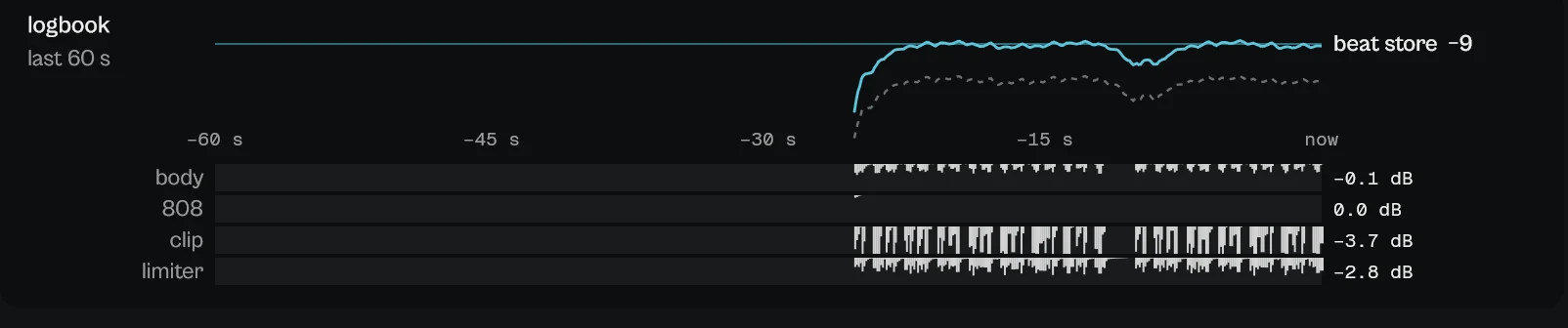
simple shows display, line, load and listen, with ceiling, punch, release, output and sub mono. advanced opens a drawer with three tabs: tone and 808, mono and quality and peaks. At M you also get the in/out readings and what the load costs; at L the 60 s logbook and the low end column.
Pick a size with S, M and L in the top bar, or drag the window corner. A click on the status line zooms the contents from 75 to 200 %. The help strip in the footer describes the control under the pointer.
More features
Readings
In and out: integrated (since play), short-term (3 s), momentary (400 ms), highest true peak and PLR. reset restarts the integrated value.
Warnings
In the footer: over the line (lower load), low freeboard (lower load or punch), 808 drives the limiter (move 808 priority toward tight). A click flashes the control that fixes it.
808 options
Right-click 808 priority: 808 ducks under the hits and Tone Keep leaves the 808 cut.
Tips by genre
- Streaming release
- Line −14, ceiling −1, tone keep 100.
- Beat store and leases
- Line −9 with the Beat Store presets.
- Trap and drill
- 808 priority toward tight when the warning says the 808 drives the limiter.
- Club
- Line −7, ceiling −0.5.
- Many instances
- Quality Eco.
CPU and latency
- Latency
- Fixed: 3.35 ms at 48 kHz in every state, bypass included.
- Quality
- Clipper Eco (4x) or High (8x), same latency. True peak measured to BS.1770-4 at 4x and held within 0.1 dB of the ceiling, from 44.1 to 192 kHz.
- CPU
- About 2.4 to 2.5 % of one core in High, 2.1 to 2.3 % in Eco; about 0.1 % in digital silence.
CPU: one stereo instance at 48 kHz, 512-sample blocks, on a test signal, as a percent of one core of a recent desktop CPU. Indicative only: your system will differ.
Version and changes
This manual describes omoline 0.3.6. Updates never change how a saved session sounds: when the sound changes, it arrives as a new option or only in new instances.
Latest builds
- 0.3.6 2026-10-24 ["Its own product now: its licence, the Beat Kit's (KIZAMI, KITTO, TATAKIT, FUZZO, ASCENT) or ZOKKU All's unlocks it; old beta trials keep working. Sound and saved sessions unchanged."]
- 0.3.5 2026-10-24 ['Activate online and Activate offline in the licence sheet activate ZOKKU All; a saved session stays byte for byte the same after it is reopened.']
- 0.3.4 2026-10-24 ['A ZOKKU All licence unlocks it too; the free trial is the ZOKKU All one: 7 days, one trial for all eleven.']
Before
- 0.3 Revisited interface: line chips, draggable ceiling, normal / same level / delta, advanced drawer.
- 0.2 New name, omoline (before: LOADLINE).
Common to every plugin: windows, presets, keyboard and typed values.