The list
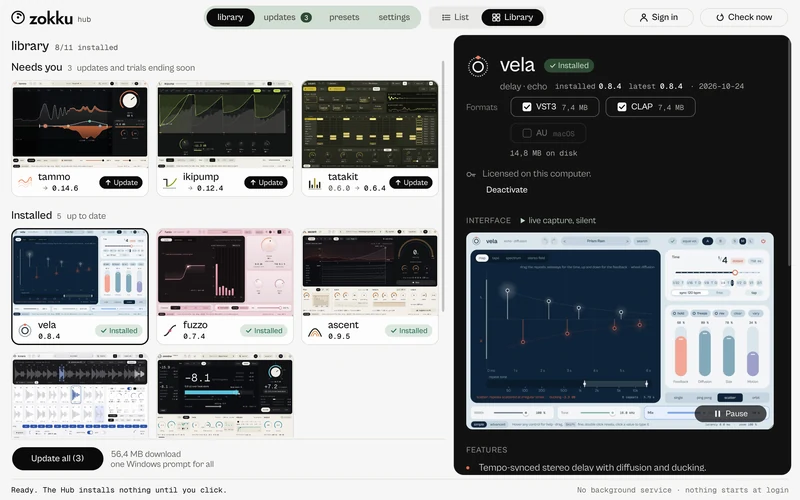
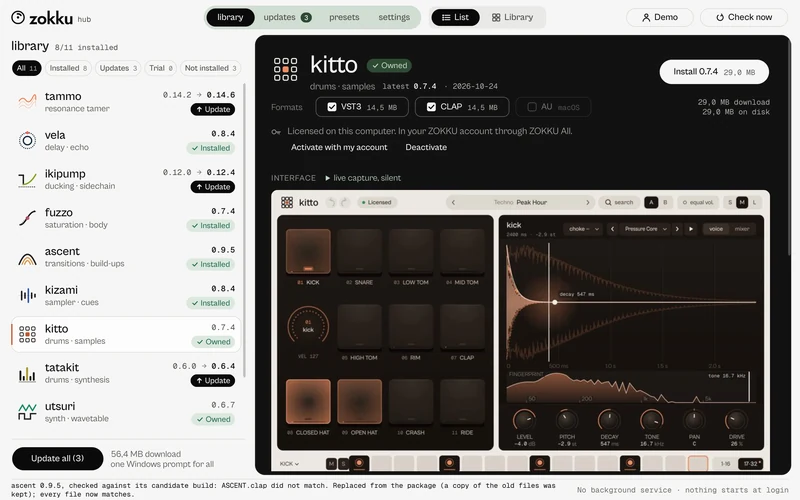
Every plugin on one row, with the version you have and the latest one, and a chip with its state: Update, Installed, Trial · days left, Trial ended, Owned, Not installed, Working…. Filters show only what needs you. Switch to Library and every plugin is a tile that plays a short, silent capture of its interface.
Install and formats
Pick a plugin, choose the formats (VST3, CLAP, and AU on a Mac) and see the size of each before anything starts. On Windows one permission prompt covers the whole job; on a Mac, one password. Every package is checked against its size and SHA-256 before it touches your plugin folders. Close your DAW first.
Update all
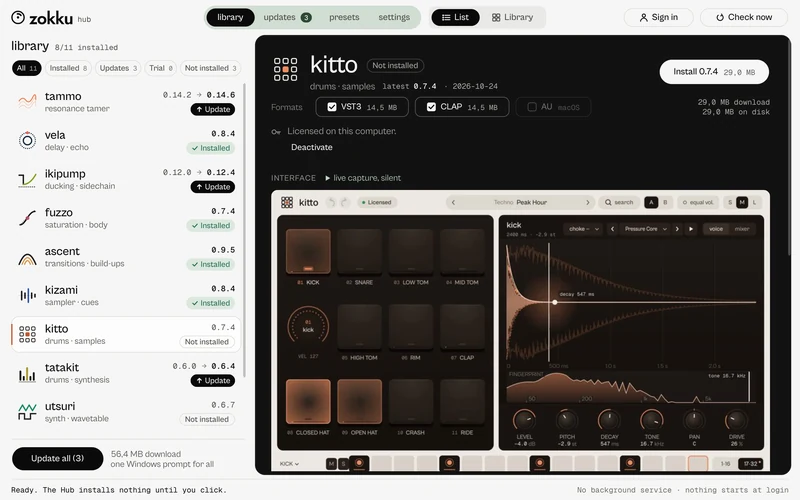
Update all says how many plugins and how many megabytes before you press it. The update catalogue is signed and checked before the Hub reads it. Offline, the Hub shows the last catalogue it checked, and when; nothing retries on its own. Check now reads it again.
Go back a version
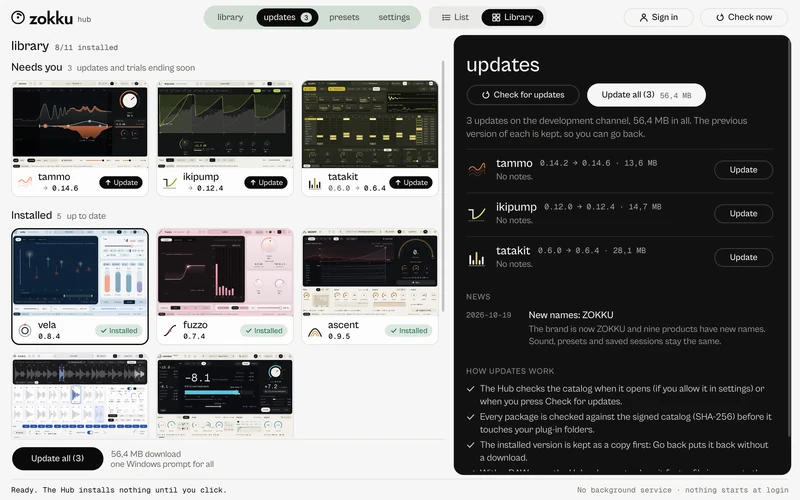
Before every update the Hub keeps a copy of what you had. The versions list of a plugin offers to go back to an earlier one, from the kept copy with no download, or from the catalogue.
Repair and verify
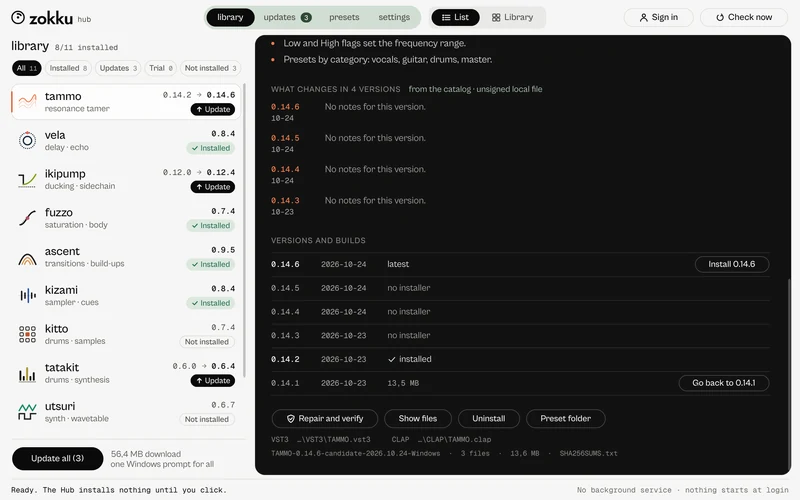
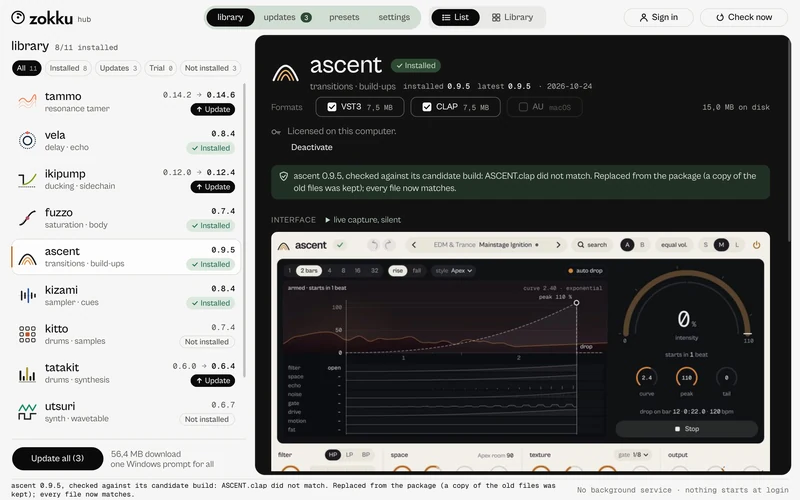
Repair takes the package of the version you have, checks it against its SHA-256 list, then compares every installed file. It says what did not match and what it replaced; when everything matches, nothing is changed.
Account, trial and activation
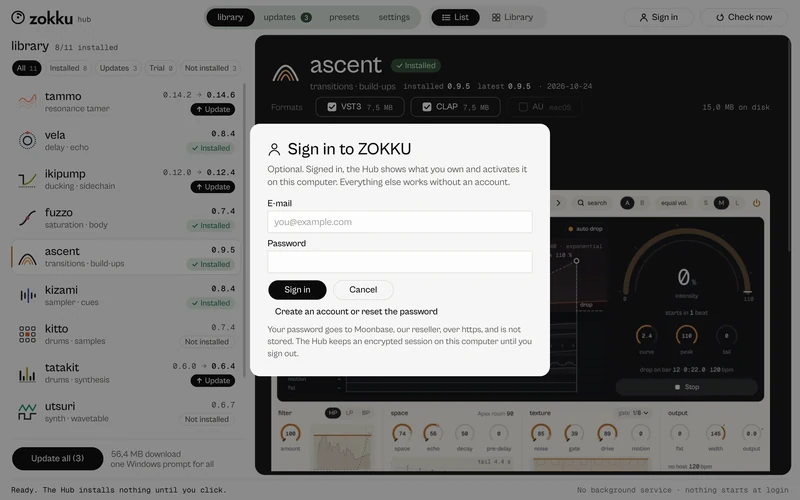
Everything works without an account. Start free trial on a plugin starts the 7-day trial on this computer. Sign in (top right) shows what you own as Owned and activates it as it installs; turn that off in the account sheet if you prefer. Activate online opens your browser to sign in; Activate offline saves a request file for a computer without internet. Deactivate frees the seat. Sign out and the licences stay on the computer; the Hub never keeps your password.
Quiet by design
No background service: nothing starts at login and nothing runs when the Hub is closed. No telemetry: without an account the Hub only downloads the catalogue and the packages, with no identifiers. Removing the Hub leaves the plugins installed.
Remove a plugin or the Hub
In the Hub, Uninstall on a plugin keeps a copy so you can restore it (on a Mac the plugin is moved to a ZOKKU folder, never deleted). To remove the Hub on Windows: Settings, Apps, Installed apps, ZOKKU Hub, Uninstall.