What it does
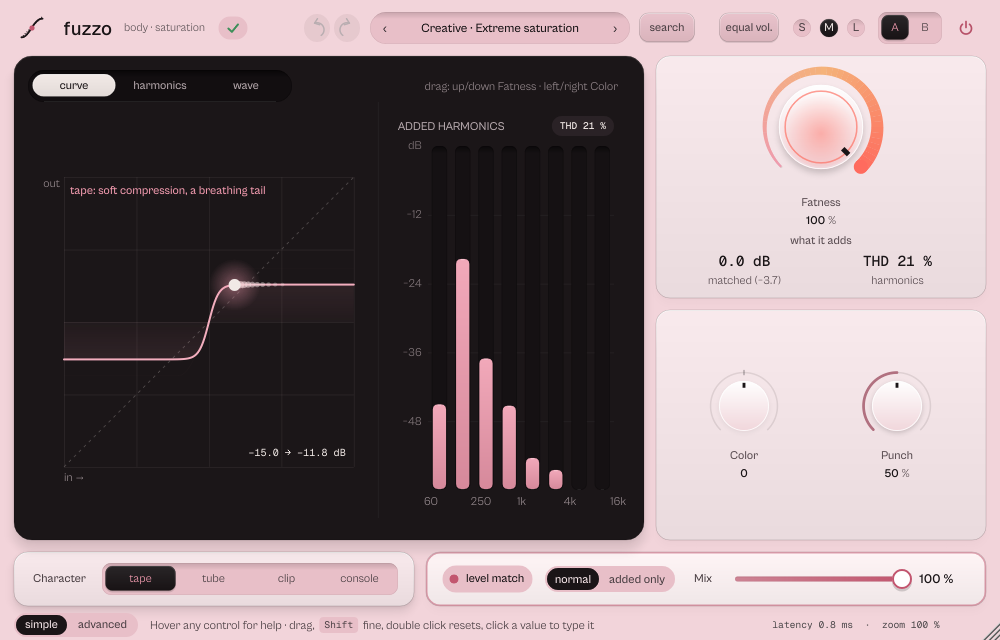
fuzzo adds body and density: saturation with five characters (Classic, Tape, Tube, Clip, Console), transient control, a low split with its own saturation, an output clipper and a true peak ceiling.
Saturation with transient control, a low-band split, an output clipper and a true peak ceiling. Tape, tube, clip or console: the interface takes the colour of the character. Before 19 October 2026 it was called DENSITY; sessions and presets made with the old name open as before.
- Tape, tube, clip and console: the skin follows the character.
- Fatness, Color and Punch are the three main gestures.
- True peak ceiling measured at 4x, Level match, parallel Mix.
Quick start
- Choose a Character: tape, tube, clip or console (the interface colour follows it).
- Raise Fatness. Punch lets the attacks through cleaner.
- Keep level match on to compare at the same loudness.
The display
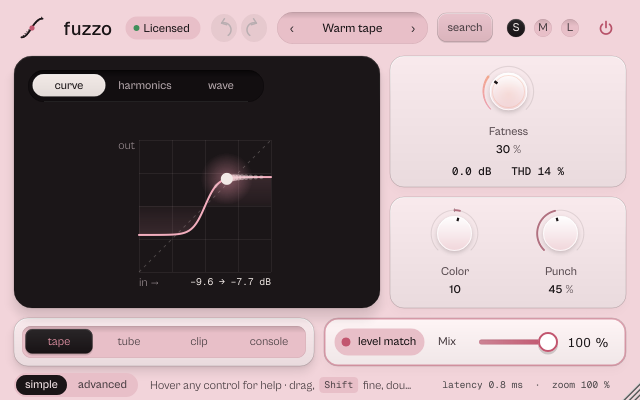
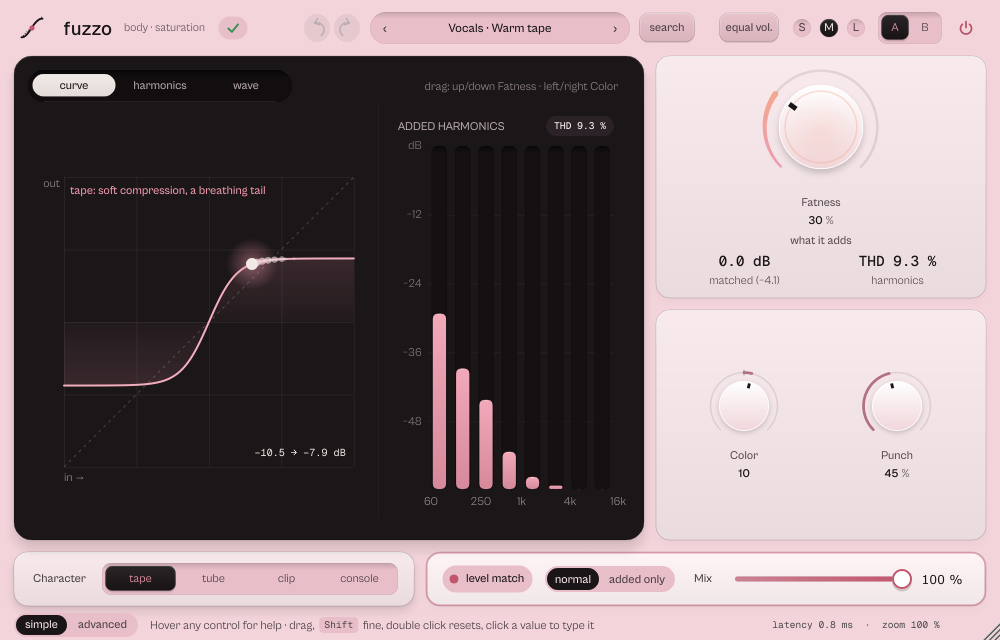
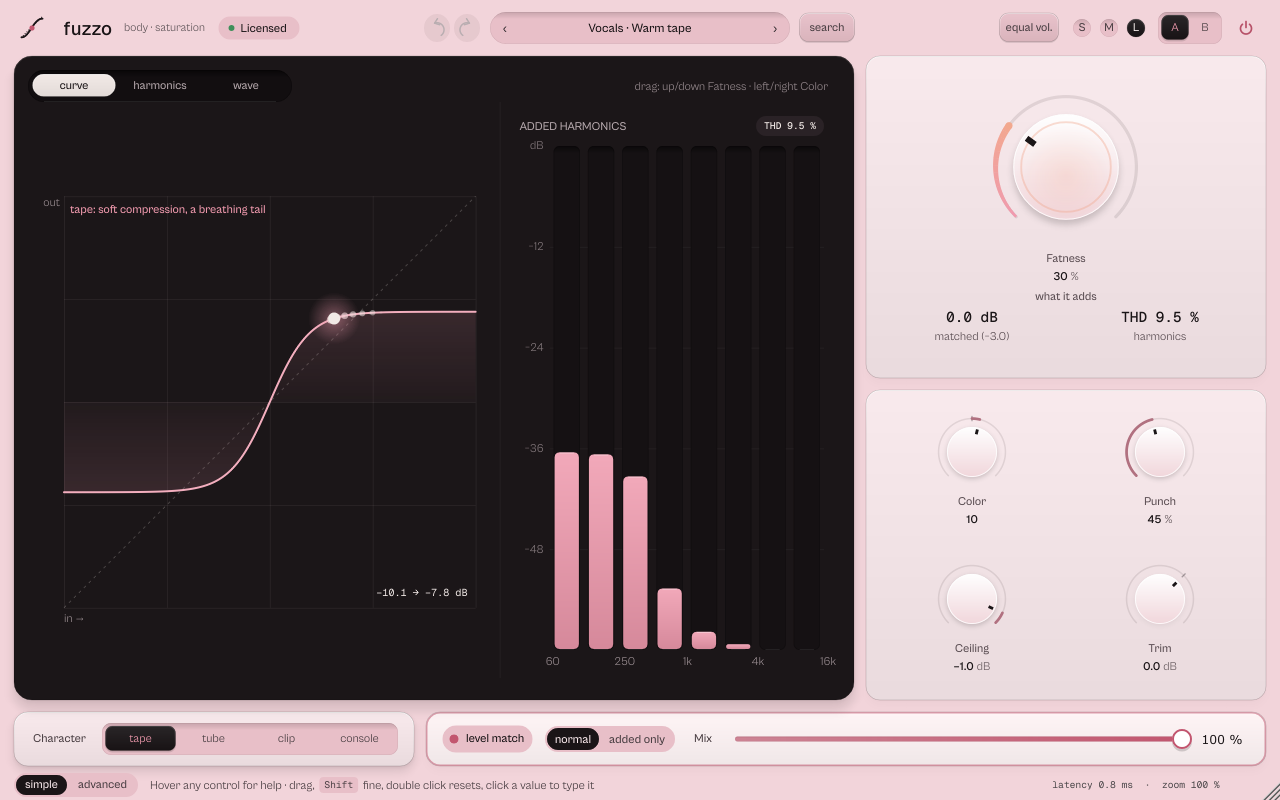
Three views. curve: the saturation curve with the point of the current level; clip zone marks where it cuts. harmonics: the energy fuzzo adds in each band, with a live THD chip. wave: the peak envelope of the last 8 seconds, output filled, input outlined, the ceiling dashed. On the display drag up and down for Fatness and sideways for Color (Shift for fine).
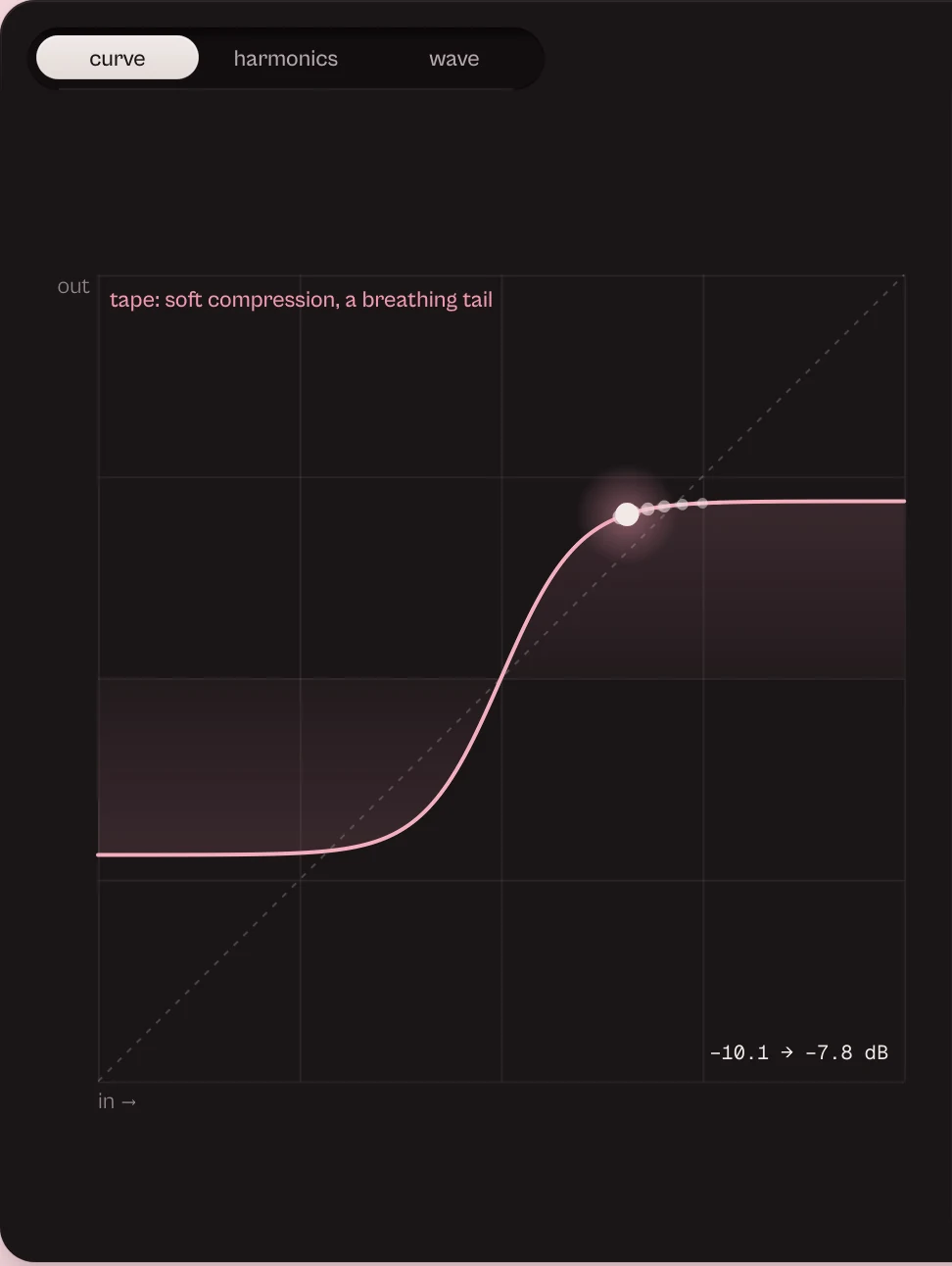
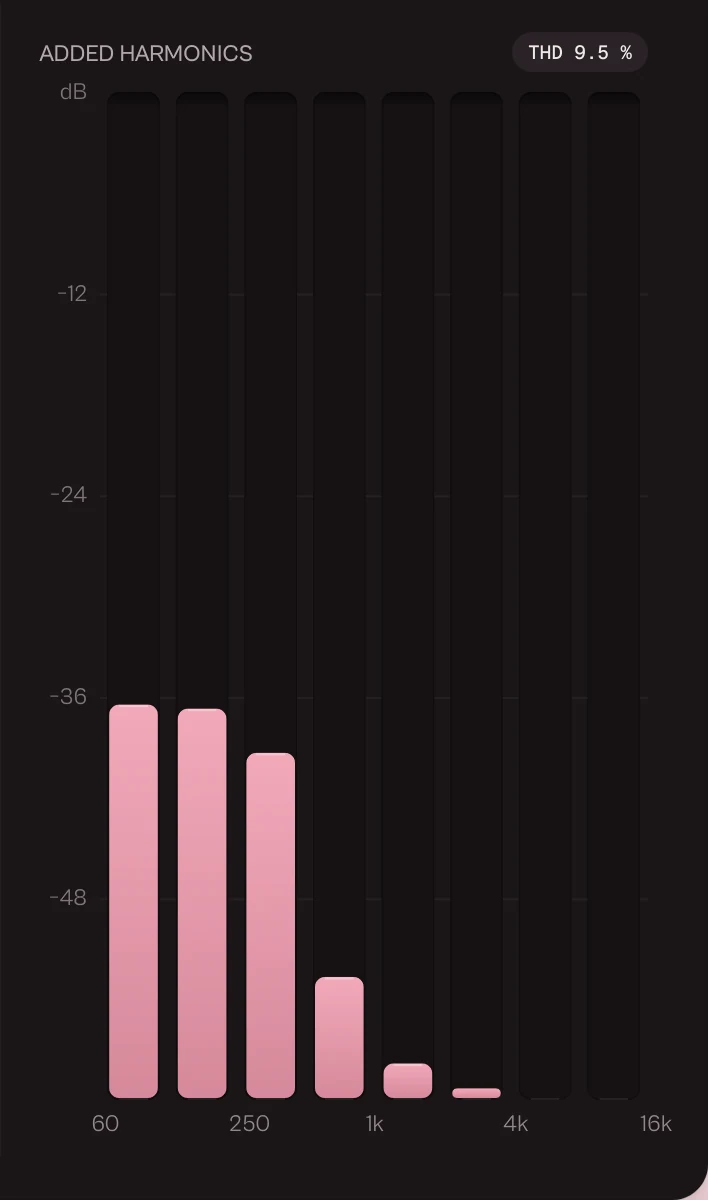
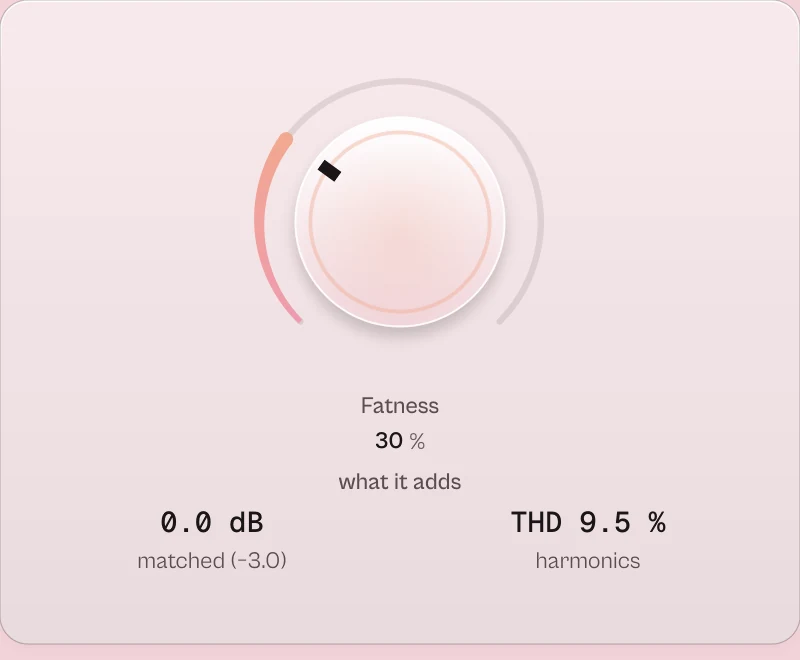
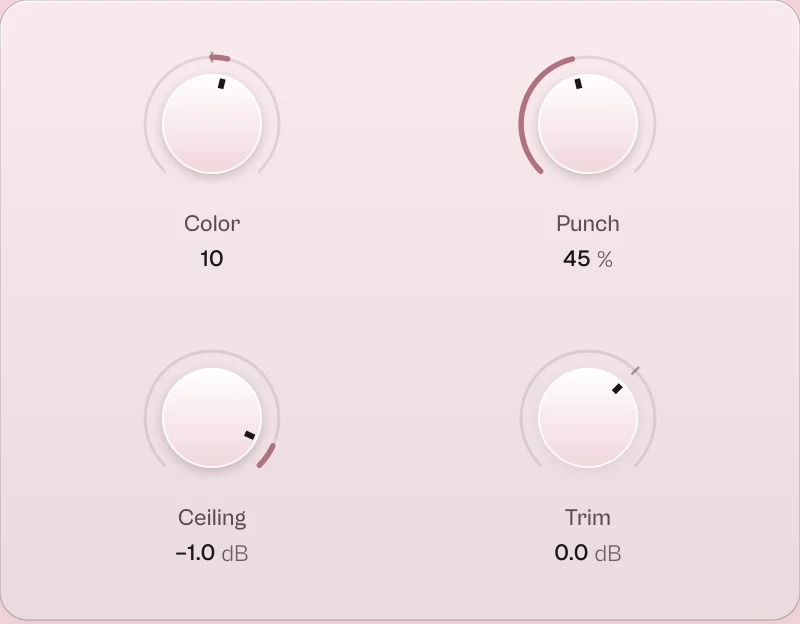

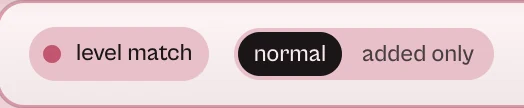
Every picture on this page is a capture of the real interface, from the current build.
Controls
The names are the ones your DAW shows for automation, read from the plugin itself; ranges and defaults are the plugin's own. Every knob: drag (Shift for fine), wheel for small steps, double-click for the default, Enter or a click on the value to type it with units (6k3, 250ms, -3 dB).
Main controls
| Control | Range | Default | What it does |
|---|---|---|---|
| Fatness | 0 % to 100 % | 0 % | How much saturation. |
| Character | Classic · Tape · Tube · Clip · Console | Tape | Classic, Tape, Tube, Clip or Console. |
| Color | 0 % to 100 % | 0 % | Moves the harmonics down (dark) or up (bright) without changing the basic tone. |
| Punch | 0 % to 100 % | 50 % | Protects the transients: from Fatness 60 % up they stand at most 2 to 3 dB above the saturated sound. |
| Mix | 0 % to 100 % | 100 % | Parallel saturation. |
| Level match | Off · On | Off | Compensates the added level; works with Mix below 100 % and with the low cut. |
| Input | −18 dB to 18 dB | 0 dB | Level into the saturation. |
| Output trim | −24 dB to 12 dB | 0 dB | Final level. |
| Ceiling | −12 dB to −0.1 dB | −0.1 dB | The output ceiling. |
| Clipper | 0 % to 100 % | 0 % | Shown as softness: the output clipper before the ceiling. Off; a few % is a hard cut at the ceiling; 100 % a soft knee from 8 dB below. |
| True peak | Off · On | Off | The ceiling also stops inter-sample peaks (4x), within about 0.05 dB. Adds 23 samples of latency. |
| Band split | 0 Hz to 800 Hz | 0 Hz | Splits the lows below this frequency (0 = off). |
| Low fatness | 0 % to 100 % | 0 % | Saturation of the split lows. |
| Dynamic fatness | −100 % to 100 % | 0 % | Saturates loud passages more (+) or quiet ones (−). |
| Symmetry | 0 % to 100 % | 0 % | Unbalances the curve for even, warmer harmonics. The DC shift is removed without losing bass. |
| Stereo mode | Stereo · Mid/Side | Stereo | Stereo or Mid/Side. |
| Side fatness | 0 % to 200 % | 100 % | In Mid/Side: how much the sides saturate (0 % clean, 200 % double). |
| Width | 0 % to 200 % | 100 % | Output stereo width. |
| Low cut | 10 Hz to 500 Hz | 10 Hz | Before the saturation, so deep lows do not muddy the harmonics. |
| High cut | 2 kHz to 22 kHz | 22 kHz | After the saturation. |
| Air | 0 dB to 12 dB | 0 dB | Brightness at 10 kHz on the saturated signal. |
| Oversampling | 2x · 4x · 8x | 4x | 2x, 4x or 8x: higher means less aliasing and more CPU. |
| Classic drive | Off · On | On | The engine of sessions saved before the ZOKKU characters (Classic). |
Every parameter (26)
Numbered parameters are grouped in one row (for example Band 1–8), with the number of copies.
| Parameter | Range | Default |
|---|---|---|
| Fatness | 0 % to 100 % | 0 % |
| Legacy color | −100 to 100 | 0 |
| Input | −18 dB to 18 dB | 0 dB |
| Output trim | −24 dB to 12 dB | 0 dB |
| Mix | 0 % to 100 % | 100 % |
| Punch | 0 % to 100 % | 50 % |
| Ceiling | −12 dB to −0.1 dB | −0.1 dB |
| Level match | Off · On | Off |
| Bypass | Off · On | Off |
| Classic drive | Off · On | On |
| Color | 0 % to 100 % | 0 % |
| Gain | −24 dB to 24 dB | 0 dB |
| Character | Classic · Tape · Tube · Clip · Console | Tape |
| Band split | 0 Hz to 800 Hz | 0 Hz |
| Low fatness | 0 % to 100 % | 0 % |
| Clipper | 0 % to 100 % | 0 % |
| Oversampling | 2x · 4x · 8x | 4x |
| Dynamic fatness | −100 % to 100 % | 0 % |
| Stereo mode | Stereo · Mid/Side | Stereo |
| Side fatness | 0 % to 200 % | 100 % |
| Width | 0 % to 200 % | 100 % |
| Low cut | 10 Hz to 500 Hz | 10 Hz |
| High cut | 2 kHz to 22 kHz | 22 kHz |
| Air | 0 dB to 12 dB | 0 dB |
| True peak | Off · On | Off |
| Symmetry | 0 % to 100 % | 0 % |
Presets
62 presets in 9 categories, each with a description the search can read.
- Basics 2Clean start, Warm body
- Vocals 9
- Drums 9Drum pressure
- Bass 8Bass growl
- Synth 6Synth presence
- Guitar 5Acoustic glue
- Bus 8Punch bus
- Master 8Gentle master
- Creative 7Full crush
Click the preset capsule in the top bar to open the preset sheet: search (every word must appear in the name, category or description), categories with their counts, ★ Favourites, tags on every row, and in B, which loads a preset into the slot that is not playing so you can compare. A click loads a preset and leaves the sheet open; ↑ ↓ move, Enter loads and closes, Esc closes. The arrows ‹ › beside the capsule step through the list; a dot says the sound was changed.
All 62 programs, as the DAW lists them
- Basics / Clean start
- Vocals / Vocal weight
- Drums / Drum pressure
- Bass / Bass growl
- Basics / Warm body
- Synth / Synth presence
- Guitar / Acoustic glue
- Bus / Parallel crunch
- Bus / Punch bus
- Bus / Dense parallel
- Master / Gentle master
- Creative / Full crush
- Vocals / Warm tape
- Vocals / Present tube
- Vocals / Aggressive rap
- Vocals / Soft backing vocals
- Drums / Thick kick
- Drums / Crispy snare
- Drums / Room bus
- Drums / Lo-fi loop
- Bass / Warm 808
- Bass / Growling synth bass
- Bass / Electric bass
- Synth / Thick pads
- Synth / Bright lead
- Synth / Pluck on the edge
- Guitar / Full acoustic
- Guitar / Dirty electric
- Bus / Mix bus glue
- Bus / New York parallel
- Bus / Tape on the bus
- Master / Light warmth
- Master / Safe loudness
- Creative / Broken radio
- Creative / Dynamic breath
- Creative / Extreme saturation
- Vocals / Even warmth
- Vocals / Gentle on the esses
- Vocals / Parallel grit
- Vocals / Close podcast
- Drums / Full snare
- Drums / Soft kick clipper
- Drums / Hard kick clipper
- Drums / Soft cymbals
- Bass / Phone 808
- Bass / Distorted 808
- Bass / Parallel growl
- Bass / Tube DI
- Synth / Lo-fi keys
- Synth / Wide M/S pad
- Guitar / Softened DI
- Guitar / Even fuzz
- Bus / Tube on the bus
- Bus / Parallel tape
- Master / Soft clipper -1 dBTP
- Master / Hard clipper -1 dBTP
- Master / Streaming -1 dBTP
- Master / M/S warm centre
- Master / M/S airy sides
- Creative / Cassette
- Creative / Telephone
- Creative / Wrecked sides
A/B and undo
A and B hold two complete settings. equal vol. plays B at the loudness of A, so louder never fools you. in B in the preset sheet loads a preset straight into the other slot. Undo and redo (the curved arrows, Ctrl+Z and Ctrl+Shift+Z) are kept separately for A and B; switching slot is not a step.
Listen modes
normal / added only sits next to level match. added only plays only what fuzzo adds; it is never saved and never reaches the meters.
Simple, advanced and sizes
simple shows the display, Fatness, Punch, Character, level match and Mix. advanced opens a drawer with five tabs: drive (input, symmetry, dynamics, oversampling, split and low fat), output (ceiling, softness, trim, true peak), stereo & tone (mid/side, side, width, low cut, high cut, air), engine (ZOKKU or classic, save and open) and assistant.
Pick a size with S, M and L in the top bar, or drag the window corner. A click on the status line zooms the contents from 75 to 200 %. The help strip in the footer describes the control under the pointer.
More features
Assistant
Capture 4 seconds of the track and type a goal. Propose computes a proposal on this computer, offline. Ask AI (optional) uses an online AI service with your own API key and sends only measurements, never audio. The proposal goes into slot B, to compare with A.
Tips by genre
- Rap and vocals
- Warm tape for light warmth, Aggressive rap for edge; keep Punch around 50.
- 808 on phones
- Phone 808: harmonics that make the 808 audible on small speakers while the sub stays clean (use Band split).
- Drums
- Soft kick clipper or Hard kick clipper for a louder kick; Punch to keep the click.
- Master and streaming
- Streaming −1 dBTP: true peak on, ceiling −1 dB.
- Lo-fi
- Cassette or Broken radio, with the low and high cuts.
CPU and latency
- Latency
- Under 1 ms at 48 kHz (37 samples in our test), reported to the host. The true peak option adds 23 samples.
- Quality
- Oversampling 2x, 4x (default) or 8x. At 8x the four characters stay below -80 dBc on a high tone at -20 dBFS, even at full Fatness.
- CPU
- About 2.3 % of one core at 4x; about 0.02 % after 4 s of silence.
CPU: one stereo instance at 48 kHz, 512-sample blocks, on a test signal, as a percent of one core of a recent desktop CPU. Indicative only: your system will differ.
Version and changes
This manual describes fuzzo 0.7.4. Updates never change how a saved session sounds: when the sound changes, it arrives as a new option or only in new instances.
Latest builds
- 0.7.4 2026-10-24 ["Its own product now: its licence, the Beat Kit's (KIZAMI, KITTO, TATAKIT, FUZZO, ASCENT) or ZOKKU All's unlocks it; old beta trials keep working. Sound and saved sessions unchanged."]
- 0.7.3 2026-10-24 ['Activate online and Activate offline in the licence sheet activate ZOKKU All; a saved session stays byte for byte the same after it is reopened.']
- 0.7.2 2026-10-24 ['A ZOKKU All licence unlocks it too; the free trial is the ZOKKU All one: 7 days, one trial for all eleven.']
Before
- 0.7 Revisited interface: added only, simple/advanced drawer with the assistant.
- 0.6 New name, fuzzo (before: DENSITY).
Common to every plugin: windows, presets, keyboard and typed values.